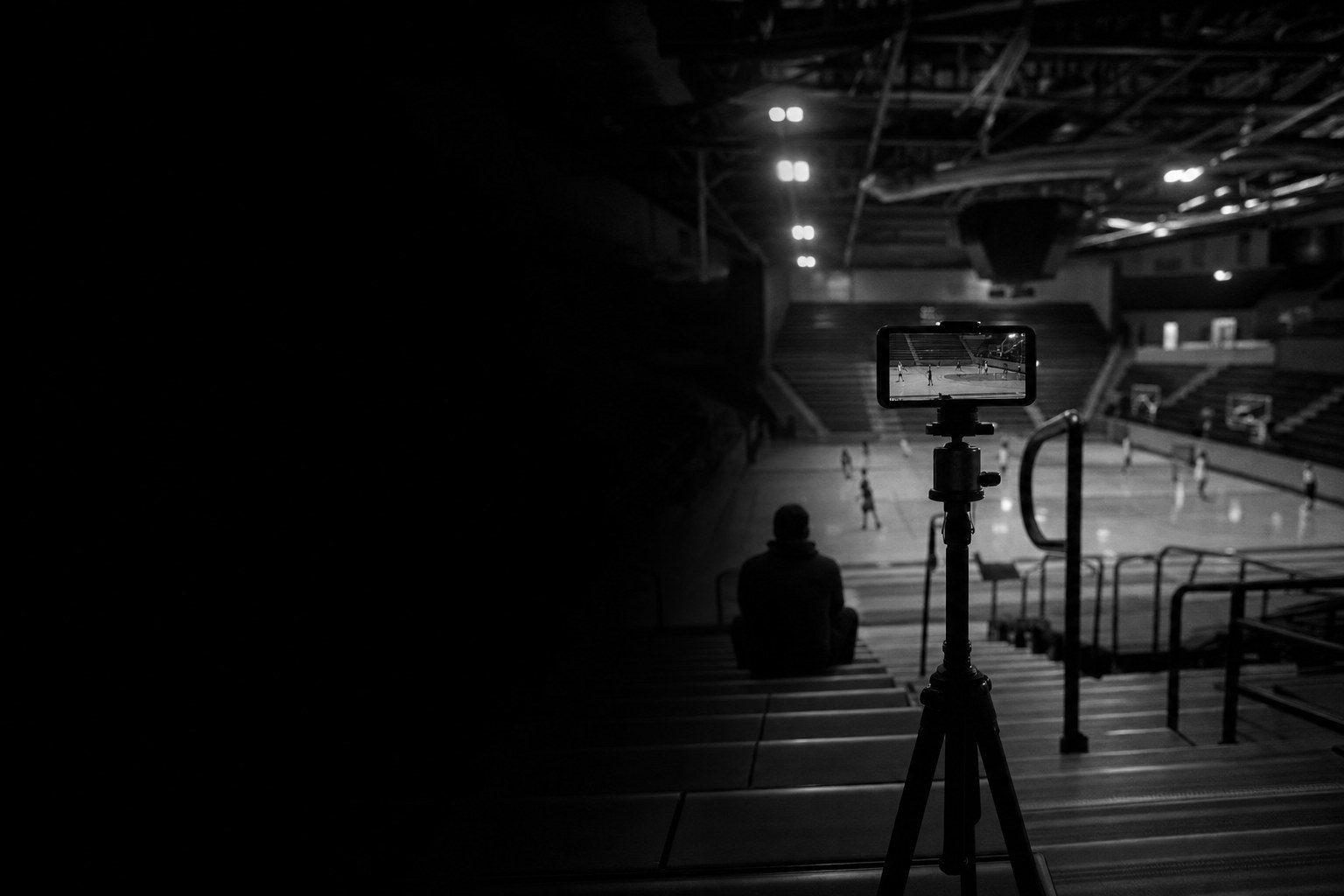
To film your games for a recruiting video, put a phone on a tall tripod at a raised spot and record in 1080p. Keep the picture wide enough to see the play develop, and record the whole game. Label and back up the file the same day. A recent phone is enough, because steady, clear footage matters more than equipment.
The parent with the tripod is usually the one who got to the gym before warmups. Getting there early wins the good spot, and most of the rest is a charged phone and leaving the zoom alone.
The harder part comes after the final whistle. A season of games turns into a phone full of hour-long files, and you have no idea whether a single college coach will open any of them. That is usually when a paid recruiting service calls with an offer to handle the film for you. You can do it yourself. This guide covers the filming and shows where Athlead takes over the steps after it. A parent can stream the game with Go Live, and the film lands on the athlete's profile. The profile then shows which college programs viewed it.
What equipment do you need to film games?
You need a phone, a tripod, a phone mount and a battery pack. Most families already own the expensive part.
Any recent phone records 1080p video, which is all a recruiting reel needs. A dedicated camera earns its place only if you film from a long way off and need optical zoom.
The tripod matters more than the camera, because handheld footage shakes and shaky footage is tiring to watch. Look for one that extends to at least head height, stands firm in wind and pans smoothly. Add a clamp-style phone mount if it does not come with one.
A dead battery and a full phone end more recordings than anything else. Bring a charged battery pack and a cable, and clear storage the night before.
The same kit covers streaming. If you plan to use Go Live in Athlead, the phone on the tripod is the camera. The battery pack and cable keep the stream running to the final whistle.
Where should the camera go for each sport?
Put it high and wide. From a raised position you can see spacing and how a play develops, which ground level hides. The top row of the bleachers is usually high enough.
| Sport | Best position | Avoid |
|---|---|---|
| Football | High, from the press box side or behind the end zone | Ground level on the sideline |
| Basketball | High at midcourt, or a raised corner | Directly under the basket |
| Soccer | High at the halfway line | Ground level, where far-side play is lost |
| Volleyball | Raised, behind the end line, so the whole court is in view | Courtside at net height |
| Baseball and softball | Behind the backstop for hitting and pitching; high behind home for fielding | Shooting through a fence with the lens focused on the wire |
| Swimming and track | Side-on for technique; a high spot at the finish for races | Positions where other lanes block the view |
For a sport not listed, pick a raised spot where the whole playing area fits in the frame and nobody will stand up in front of you. Arrive early enough to record a 10-second test clip and watch it back.
What camera settings should you use?
Record in 1080p with the phone held sideways, so the picture is horizontal. 4K files fill storage much sooner for little visible gain on a laptop screen.
If your phone offers 60 frames per second at 1080p, use it, because fast action looks smoother. 30 frames per second is fine if storage is tight.
Before the game, tap the screen on the playing area to set focus and exposure, and lock them if the phone allows it. That stops the camera refocusing every time someone walks past. Wipe the lens, and switch on Do Not Disturb so a call does not stop the recording.
How to film during the game.
Staying wide is the hard part, because the instinct is to zoom in on your own athlete. A coach wants to see the whole play: where the athlete started, what they read, what happened next. If the play fits in the frame, leave the zoom alone. The exceptions are technique shots, like a pitcher's delivery or a swimmer's stroke.
Pan slowly and a little ahead of the ball. Jerky movement is worse than running slightly behind the play.
Record the whole game instead of hunting for highlights. Nobody can predict the best play, and some coaches ask for a full game after seeing a reel. The microphone is on the whole time, too, and it picks up everything said next to the camera.
Streaming the game with Go Live.
In Athlead, a parent, a grandparent or a teammate's family can stream the game from a phone with Go Live. When the game ends, the stream saves to your athlete's profile, so the full game is already where a coach would look for it. Everything above still applies: tripod, high spot, wide frame, slow pans.
Filming other people's children.
Game film always includes teammates and opponents, and they are minors too. Ask the team or club before you film, and keep the raw footage private.
- Ask the coach or club director whether filming is allowed and whether any family has asked that their child not be filmed. Check whether the event or venue has its own filming rules.
- Keep full-game footage in your own storage. Share it with team staff or another family when they ask, not on a public channel.
- Publish only what the reel needs, which is short clips of your own athlete's plays.
- Do not name other players in captions or titles, and do not post clips of someone else's injury or mistake.
The same permission comes first before a Go Live stream in Athlead. Check who can see the stream before you go live, and keep the recording private if it shows other families' children. When your athlete cross-posts clips to X, Instagram or TikTok, rules 3 and 4 still hold.
If another parent asks you to stop filming their child, treat it as a reasonable request and sort it out with the coach.
What to do with the footage afterward.
Do this on the day of the game, while you still remember which file is which.
A simple naming pattern keeps a season searchable: date, event, team, game. For example, 2026-11-14_lakeshore-classic_kestrel-17u_match-2. Keep two copies of the original files, one on a drive at home and one in cloud storage. Editing apps compress video, so always cut the reel from the originals. While the game is fresh, jot down the times of plays worth a second look. That list saves hours when you sit down with how to make a highlight reel for college recruiting.
Putting the film on the profile in Athlead.
Your athlete adds the new film to their Athlead profile after each game. The profile keeps film, stats, measurables and grades behind one link, so a coach who opens it sees the game next to the numbers. If the team already films on Hudl, your athlete links the Hudl account instead of uploading twice. Short clips of their own plays can go out to X, Instagram and TikTok from the same place.
Then watch the profile views. The profile shows which college programs viewed it. You can see whether the film is being opened, and which programs are worth a follow-up email. Create your athlete's profile before the next game so the film is ready to go up that night.
How to fix common filming problems.
Most of these come down to preparation before the game.
| Problem | Likely cause | Fix |
|---|---|---|
| Shaky picture | Handheld, or wind on the tripod | Use the tripod; hang a bag from its center hook |
| Blurry or refocusing | Dirty lens, autofocus hunting | Wipe the lens; lock focus on the playing area |
| Too dark or washed out | Gym lighting, low sun behind the play | Lock exposure; move so the light is behind you |
| Recording stopped | Battery, full storage, incoming call | Battery pack, cleared storage, Do Not Disturb |
| Heads in the frame | Camera too low | Top row, or raise the tripod |
Some gyms are dark no matter what you do. Take the clearest footage you can and keep going. Ten highlight reel mistakes covers what to leave out when a clip did not come out.
How Athlead helps with filming your games.
Athlead picks up where the camera leaves off.
- Filming: a parent streams the game from a phone with Go Live, and the stream saves to the profile when it ends.
- Storing: the athlete profile keeps film, stats, measurables and grades in one link, and your athlete can link their Hudl.
- Sharing: your athlete posts new film after each game and cross-posts short clips to X, Instagram and TikTok.
- Knowing: the profile shows which college programs viewed it.
Creating your profile is free. Pro and Pro+ unlock the rest. Start your athlete's profile tonight and upload the film from the next game when you get home.
Common questions.
Do I need 4K video for a recruiting highlight reel?
No. 1080p is enough for a recruiting reel and for full game film. 4K files are much larger, drain the battery faster and take longer to upload, and the extra detail is rarely visible once the video is on a hosting site.
Can I film my kid's games without a tripod?
You can, but the footage will be harder to watch. Sit high and brace your elbows on your knees, or rest the phone on a railing. Stay put while recording. A basic tripod is the first piece of equipment worth buying.
Who should film the game if a parent would rather just watch?
Ask the club or school first, because many teams already film games and will share the file. If they do not, parents on the team can take turns, one game each. For sports played in a small area, a phone on a tripod set wide can also run on its own.
Should we film practices for a recruiting video?
Games come first, because coaches want to see play against opponents. Training clips are worth having for positions where technique is judged up close, and they belong in a separate skills video. Ask the coach before filming a team practice.
How many games should we film in a season?
As many as you reasonably can. More games mean more plays to choose from and a better chance of film against strong opponents. If you can only manage a few, pick tournaments and the games against the best teams on the schedule.
Can I stream my athlete's game in Athlead instead of recording it?
Yes. With Go Live, a parent or anyone else at the game can stream it from a phone. When the game ends, the stream saves to the athlete's profile. Set up the same way you would for a recording, with the phone on a tripod in a high spot and the frame wide. Get the team's permission to film first. Other families' children will be in the stream, so check who can see it before you go live.
In Athlead
One link for film, stats and grades.
Creating your profile is free. Pro and Pro+ unlock the rest.
Create your profile